Evom

Evom
License:
Free
Language:
English
Developer:
Developer's website
OS:
Mac OS X
Updated:
See detailed info

Softonic review

Nick Mead

“Convert movies and upload them to the Web”

by Nick Mead about Evom

There aren't half as many video conversion tools available for Mac as there are for Windows, so when one comes along which is quick, easy to use and most importantly, completely free, you take note.

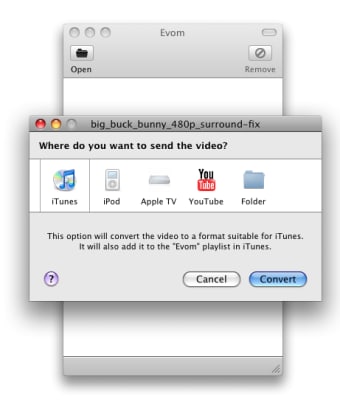
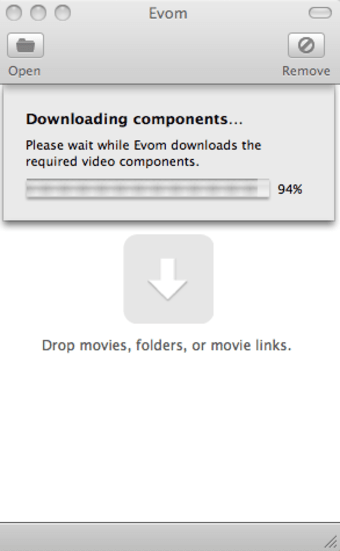
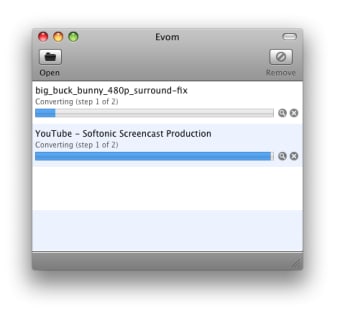
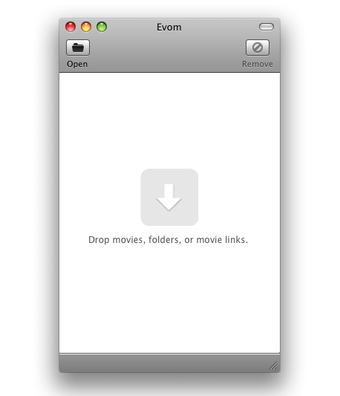
Evom ticks all of the above boxes and will even upload your conversions directly to YouTube. Once you install Evom, there's a short wait while it downloads all the necessary codecs it needs to perform conversions. Once this is done, you're ready to go. You can either drag and drop video files into Evom for conversion or go to the 'File' menu and open them from there.

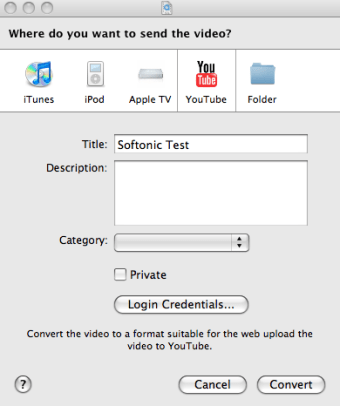
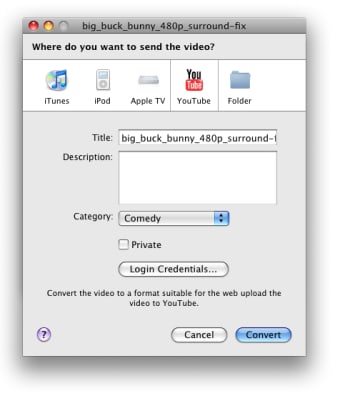
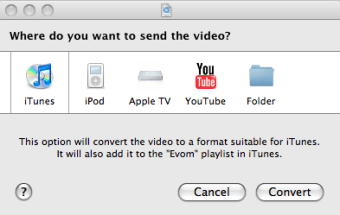
You're then presented with five options - convert to a format suitable for iTunes, iPod, AppleTV, YouTube, or just saving in a folder on your Mac. Select the one you want and off you go - it really couldn't be easier! The YouTube feature is especially interesting because it allows you to enter your YouTube account details and then upload the converted files automatically to the site. You can enter upload details - such as video title, description and category in Evom although you can't enter any tags or location as yet.

There's very little to fault with Evom, except the fact that it may have been nicer to have seen a few other formats added to the list and the entering of tags and gotagging for YouTube. Overall however, it's a superb free conversion app.

Pros
  • Very easy to use
  • Quick conversions
  • Predefined profiles for major formats
  • Allows you to upload directly to YouTube
Cons
  • Few configuration options
  • No way to add tags or geotagging for YouTube clips
Free Download Evom 0.99 m

Evom is virus free

We have analyzed the latest version of Evom with 30 antivirus engines and it is virus free. See analysis results.

TESTED VIRUS FREE - Softonic GUARANTEED

Evom (1) User reviews

  • rank_0
  • 0/10
  • EricDK EricDK
    User reviews
    1

    Easy to install. Works fine. May need to get some more functions to get it beyond the 'basics'.
    Found it after a quick search o,n the web. Just a nice tool. Highly recommend.... More

    • Review of Evom - 09 Jan 2011
      This review is liked by 0 of 0
Your avatar
Review
  1. Maximum: 75 characters

  2. See example

Pros and Cons
Rate
  1. What rating would you give Evom?

    You need to fill in all fields

    • Usability:

      Not rated
    • Stability:

      Not rated
    • Installation:

      Not rated
    • Functionality:

      Not rated
    • Appearance:

      Not rated
    • Overall rating:

      Not rated
  2. Don't worry, we won't make your email address public.

You're not allowed to share serial numbers, cracks, etc. or link to pages that contain them. If you do, your user account will be deleted, your IP address logged and legal action will be taken.

Get started - just ask a question!

Write a title for your question.

Alternativesto Evom

  • In English:
    HandBrake
    HandBrake

    Free DVD to MPEG-4 ripper/converter

    Softonic rating:
    • 9/10
    User rating:
    • 7/10
  • Better rating:
    FLV Crunch
    FLV Crunch

    Free and efficient video converter for Macs

    Softonic rating:
    • 9/10
    User rating:
    • 10/10
Compare with Evom
Download rank: Converters & Encoders

14 of 108

Softonic rating:
  • Very good
  • 8/10
Your rating:
Your rating
  • 0

Review and rate this program

Blog posts about Evom

More

Top Downloads: Converters & Encoders

  • United States
  • Global

  1. Switch

    Great audio file format converter

  2. Fastest Free YouTube Downloader...
  3. Kigo Video Converter
  4. SoundConverter
  5. FLV Crunch

Reviews of Evom in other languages